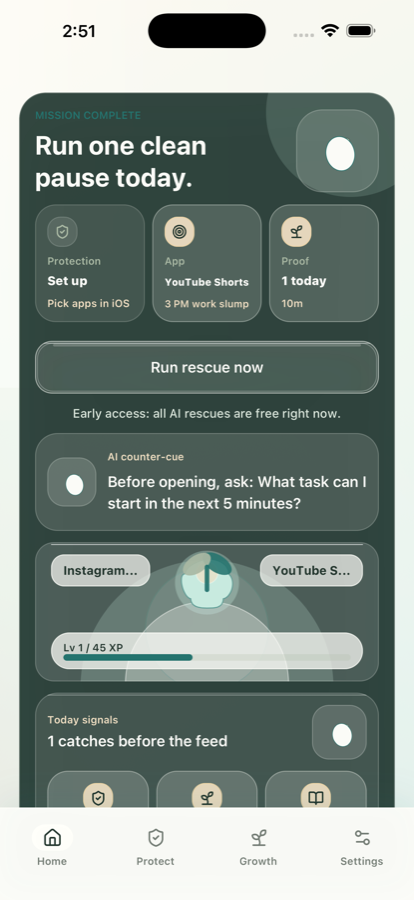
Choose the apps and moments that pull you in.
Set Loop labels, risky windows, and reminders so Veer knows when support should feel timely.
AI Screen Time Coach
Veer catches the urge before short videos or social feeds turn into another lost hour.
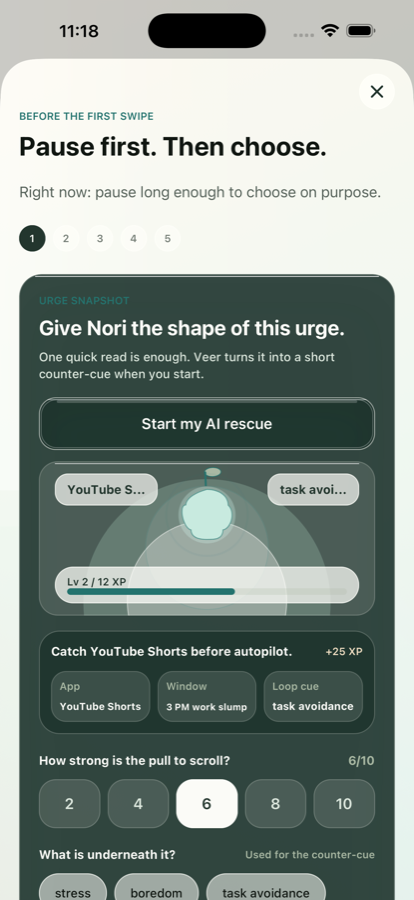
Veer app loop preview showing the home command center, app protection, AI Rescue, and growth proof screens.
Veer is not a shame tracker. It gives you a short counter-cue, a reset, and a clearer choice before autopilot takes over.
Set Loop labels, risky windows, and reminders so Veer knows when support should feel timely.
Veer asks one useful question, gives one concrete action, and helps you decide after the automatic pull cools down.
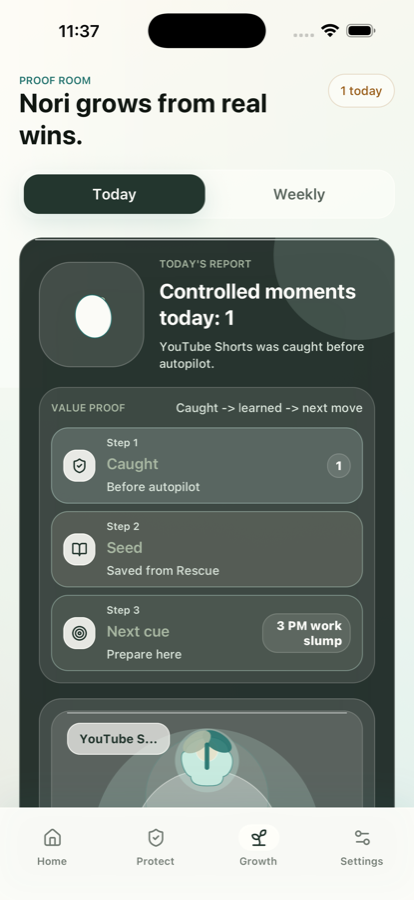
Seeds, Nori growth, and daily proof help you see what changed instead of only seeing what went wrong.
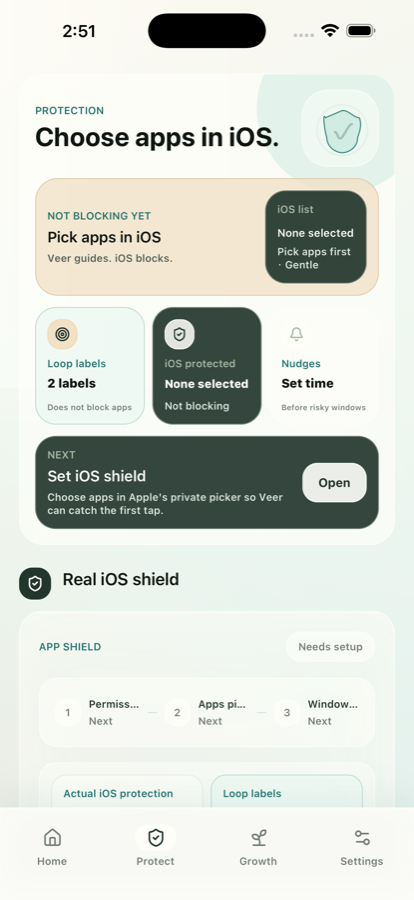
When iOS Screen Time controls are available, Veer keeps the trust boundary clear: Apple controls real app shielding, while Veer helps with labels, nudges, Rescue, and reflection.
Loop labels tell Veer what app loops you want to understand.
Risky windows help reminders arrive when they can actually help.
Strict mode supports stronger protection without turning progress into punishment.
Most screen time tools tell you what already happened. Veer focuses on the interruption, then keeps a simple record of what helped.
Set a night boundary, open Rescue before the feed, and use a short shutdown cue when your phone becomes the default.
Read the night guideUse the urge as a signal. Veer can help turn "I need a break" into one tiny next step or an intentional pause.
Reduce screen timeStart with one Rescue, one saved Seed, and one proof moment. Small interruptions compound when they are visible.
AI coach overviewStart with the loop that feels most familiar, then use Veer to build a smaller first move.
Growth shows caught moments, useful Seeds, Nori progress, and next cues. The point is learning the loop, not judging the person.
No. Veer is a digital wellbeing and productivity app. It is not therapy, diagnosis, medical advice, or emergency support.
Veer supports iOS Screen Time based protection where available. The Apple picker controls real app shielding. Veer provides Rescue, nudges, and proof.
AI helps write short counter-cues, Rescue prompts, daily missions, and weekly reads based on real user context. AI can make mistakes.
The first launch is planned as Free Early Access. Subscription infrastructure can be tested later after the core loop is validated.